
The best Shopify AI chatbot for most growing ecommerce stores is AeroChat, especially for merchants that want to run Shopify customer service on autopilot across website chat, WhatsApp, Instagram, Facebook Messenger and email.
However, different platforms suit different stages of ecommerce growth. Shopify Inbox is a practical free option for newer merchants, Gorgias is designed for established support operations, and Zipchat focuses more heavily on conversational selling and cart recovery.
This guide compares seven Shopify AI chatbots based on the customer-service and sales situations they are best equipped to handle.
Find the right Shopify AI chatbot for your store
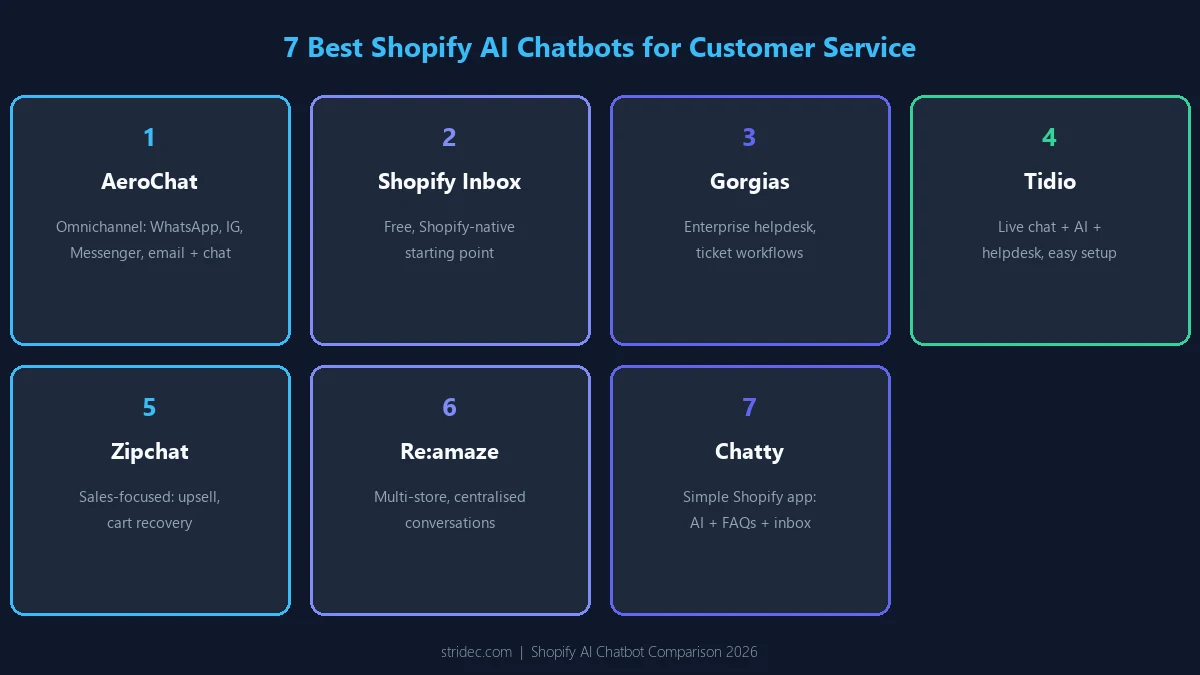
| Your Shopify store situation | Recommended chatbot | Why it stands out |
|---|---|---|
| You want to run customer service on autopilot across multiple channels | AeroChat | Shopify-aware AI across web chat, WhatsApp, Instagram, Facebook and email |
| You need a free Shopify-native chatbot | Shopify Inbox | Free AI shopping assistance built directly into Shopify |
| Customer support has become a dedicated operation | Gorgias | Advanced ecommerce ticketing, automation and support workflows |
| You want to add AI without replacing live chat | Tidio | Combines AI automation, chatbot flows and live chat |
| You want chat conversations to generate more sales | Zipchat | Product recommendations, upselling and cart recovery |
| One team manages several Shopify stores or brands | Re | Multi-store customer conversations and order management |
| You want a simple AI chatbot with FAQs and live chat | Chatty | Accessible AI support with a strong Shopify app presence |
The problem merchants discover after installing a chatbot
Most Shopify chatbots look capable during a product demonstration. The differences usually become clearer after the chatbot starts handling real customer conversations.
A merchant may initially want the chatbot to answer simple questions such as:
- Where is my order?
- Do you have this product in another size?
- How long does delivery take?
- Can I return a sale item?
- Which product is suitable for me?
The problem is that answering these questions reliably requires more than generating natural-sounding text.
The chatbot needs access to accurate product, inventory, policy and order information. It must understand when information is private, recognise when it lacks enough context and transfer the conversation to a human without forcing the customer to repeat everything.
Other limitations often appear as the store grows.
The chatbot only reads public website pages
A chatbot trained on product pages and frequently asked questions may answer general enquiries, but it may not have authenticated access to individual orders, fulfilment records or private customer information.
Messages remain divided between different channels
Website chat may be handled in one platform, Instagram messages in another, WhatsApp conversations on a phone and customer emails in a separate helpdesk.
This creates fragmented customer histories and makes it difficult to see whether another team member has already answered the customer.
The AI can explain but cannot help
Some chatbots can explain a return policy but cannot retrieve the relevant order, determine its eligibility or guide the customer towards the appropriate next step.
Human agents lose the previous conversation
A customer may spend several minutes explaining a problem to the chatbot, only to repeat the entire situation when the conversation reaches an agent.
The advertised price does not represent the actual cost
Chatbot providers may charge according to messages, AI responses, automated resolutions, conversations, support tickets, users or communication channels.
The platform with the lowest entry price is not always the least expensive once the store begins receiving more customer enquiries.
These operational differences are more important than the number of features displayed on a pricing page.
1. AeroChat — when customer conversations happen everywhere
Most suitable for: Growing Shopify stores that want to automate customer service and sales conversations across website chat, WhatsApp, Instagram, Facebook Messenger and email.
AeroChat’s Shopify AI chatbot helps ecommerce brands run customer service on autopilot by connecting AI-powered conversations with Shopify product, order and store information.
It can answer common product and policy questions, recommend relevant products, assist customers with order enquiries and communicate in multiple languages. When a conversation requires personal attention, it can pass the enquiry to the support team without losing the previous discussion.
AeroChat supports:
- AI-powered Shopify customer support
- Product discovery and recommendations
- Shopify order enquiries
- Website AI chat
- WhatsApp automation
- Instagram messages and comments
- Facebook Messenger and comments
- Email customer support
- Multilingual conversations
- Live-agent handover
- A unified conversation inbox
Its main advantage is that merchants do not need a separate chatbot for the website, another system for social media messages and another platform for WhatsApp enquiries.
AeroChat brings these conversations into one environment while using Shopify information to provide more relevant answers.
What AeroChat can automate
AeroChat can reduce the time spent manually answering repetitive questions about:
- Product availability
- Product features and variations
- Shipping and delivery
- Store policies
- Discounts and promotions
- Order tracking
- Returns and exchanges
- Product recommendations
This allows the support team to concentrate on conversations involving complaints, unusual order problems, refund decisions or other situations requiring human judgement.
Why AeroChat stands out
Many Shopify chatbots mainly operate through a website widget. AeroChat is designed for stores whose customers also communicate through WhatsApp, Instagram, Facebook Messenger and email.
This makes it particularly relevant for international ecommerce businesses and growing Shopify brands that receive customer enquiries through several channels.
It also supports both sides of the customer journey:
- Before purchase: Product discovery, comparisons, recommendations and availability questions
- After purchase: Order enquiries, delivery questions, policy guidance and customer support
What changes after AeroChat is connected
Before implementing AeroChat, a team may need to check several inboxes, search Shopify manually for order information and repeatedly answer the same delivery, product and policy questions.
After implementation:
- Common customer questions can be answered automatically.
- Product and store information can be used during conversations.
- Enquiries from several channels can be managed together.
- Customers can receive assistance outside normal working hours.
- Complex conversations can be transferred to the support team.
- Agents can spend more time on issues that require judgement.
Where another platform may be better
A large ecommerce company with an established customer-service department, complex ticket routing and extensive helpdesk reporting requirements may prefer Gorgias.
A new Shopify merchant that only needs free website chat may also find Shopify Inbox sufficient.
AeroChat is our overall recommendation for: Shopify stores that want to run customer service on autopilot while supporting customers across website chat, WhatsApp, Instagram, Facebook Messenger and email.
2. Shopify Inbox — when the budget is zero
Most suitable for: New Shopify stores that primarily need storefront chat and want to avoid an additional monthly subscription.
Shopify Inbox is developed by Shopify and is available free of charge. Its AI-powered sales associate can answer questions, help shoppers find products and use information from the store’s catalogue, policies and content.
When shoppers sign in through Shop, the Inbox agent may also use relevant preferences and purchase history to personalise its responses. Merchants can control the agent’s tone, style and operating rules.
The primary advantage is convenience. The app belongs to the Shopify ecosystem, so merchants can begin using it without connecting a completely separate ecommerce support platform.
Shopify Inbox is a sensible starting point when:
- The store is new.
- Support volume remains manageable.
- Most enquiries come through the website.
- The merchant does not yet need advanced routing.
- A free solution is the priority.
- The team already manages most activity through Shopify.
The point at which Shopify Inbox may no longer be enough
A growing business may begin looking beyond Shopify Inbox when:
- More conversations arrive through WhatsApp or Instagram.
- Several team members need structured support workflows.
- The business operates more than one store.
- Customer histories are spread across different channels.
- More advanced AI actions are required.
- The support manager needs detailed team reporting.
- The business wants a broader helpdesk environment.
Shopify Inbox is therefore not necessarily a platform that merchants must avoid as they grow. It is often the correct first stage before the store has enough support complexity to justify a larger system.
Shopify Inbox is our recommendation for: New and smaller stores needing a free Shopify-native chatbot.
3. Gorgias — when customer support becomes a department
Most suitable for: Established ecommerce businesses with dedicated support agents, formal workflows and higher ticket volumes.
Gorgias is more than a Shopify chatbot. It is an ecommerce helpdesk designed to bring customer service channels, support agents, Shopify information, automation and AI into one operational system.
Its Shopify application includes live chat, customer service tools and automation options. Gorgias currently offers plans based partly on monthly ticket volume, starting with a limited Starter tier and increasing substantially for businesses handling thousands of tickets.
Gorgias becomes relevant when customer support is no longer something handled occasionally by a founder or ecommerce manager.
At that stage, the business may have:
- Dedicated support agents
- Ticket queues
- Response-time targets
- Escalation procedures
- Team performance reporting
- Refund and order-management processes
- Several connected ecommerce applications
- Seasonal increases in ticket volume
These businesses need more than a chatbot. They need a customer service operation.
Why Gorgias works for established teams
Gorgias brings conversations and ecommerce information into a helpdesk structure. Agents can work through enquiries while viewing relevant customer and order context instead of repeatedly switching between Shopify and separate communication tools.
Its larger integration ecosystem is also useful for businesses using several ecommerce, fulfilment, subscription, loyalty and review applications.
Why a smaller store may be paying for too much
A new or smaller store may not need:
- Advanced ticket management
- Large agent teams
- Detailed helpdesk reporting
- Complex routing
- Extensive third-party integrations
- High monthly ticket allowances
Gorgias pricing also rises as ticket volume and functionality increase. Merchants should calculate the likely monthly cost at their normal and peak support volumes rather than looking only at the starting plan.
Gorgias is our recommendation for: Established Shopify brands that require a complete ecommerce helpdesk rather than only an AI chatbot.
4. Tidio — when you need AI without rebuilding customer service
Most suitable for: Small and medium-sized stores that want to introduce AI while retaining familiar live-chat functionality.
Tidio combines live chat, predefined chatbot flows, an AI agent and helpdesk functionality. Shopify merchants can use it to answer support enquiries, communicate with visitors in real time and provide personalised product recommendations.
Agents can also see information about what customers have viewed, helping the team provide more relevant recommendations during a live conversation.
Tidio occupies a useful position between a basic Shopify chat widget and a more complex ecommerce helpdesk.
It is suitable for merchants that want:
- Live chat
- AI-generated customer support
- Automated chatbot flows
- Product recommendations
- Customer activity information
- A central helpdesk
- A relatively quick implementation
Where Tidio fits in a store’s growth
A new Shopify store may start with Shopify Inbox because it is free and native to the platform.
As support demands become more complicated, the merchant may want stronger AI capabilities, automation flows and helpdesk features. Tidio can provide that step without immediately moving the business into a larger enterprise-style customer service system.
Tidio has also accumulated a substantially larger Shopify App Store review history than many newer AI chatbot platforms, which may reassure merchants looking for a widely used application. Its rating was 4.8 from more than 1,200 reviews when checked in August 2026.
Where Tidio may become limiting
Stores that want the same AI customer service system deeply integrated across WhatsApp, Instagram, Facebook Messenger, email and website chat may prefer a more omnichannel-focused platform.
Larger support teams may also require deeper ecommerce workflows, reporting and ticket administration than a smaller business typically needs.
Tidio is our recommendation for: Merchants that want an established combination of AI chat, live agents and helpdesk functionality.
5. Zipchat — when chat needs to contribute directly to sales
Most suitable for: Shopify stores that want to use AI conversations for product discovery, upselling, cart recovery and conversion.
Zipchat positions its AI agent around both customer support and conversational selling.
Its Shopify application can handle product recommendations, stock questions, order tracking, discounts, returns, refunds, cart recovery and frequently asked questions. It supports live chat, WhatsApp, Instagram and email conversations.
The distinction is important because not every Shopify chatbot has the same commercial objective.
Some tools are primarily designed to reduce customer service tickets. Zipchat places greater emphasis on using conversations to help shoppers choose products and complete purchases.
Customer support tool or sales assistant?
Zipchat is most relevant when customers require guidance before buying.
This commonly applies to stores selling:
- Skincare
- Supplements
- Fashion
- Furniture
- Electronics
- Specialist equipment
- Large product catalogues
- Products with several variations
A shopper may not know exactly which product to select. A conversational sales agent can ask follow-up questions, narrow the available options and recommend products that better match the customer’s needs.
Zipchat also connects conversations with revenue, making it useful for teams that want to understand whether chat is contributing to sales rather than viewing it only as a support expense.
Where Zipchat may not be the right fit
Businesses that mainly require structured ticket management, complex agent workflows and traditional helpdesk reporting may prefer Gorgias or Re:amaze.
Stores whose primary problem is consolidating a broad range of existing customer service channels may also compare Zipchat’s channel and inbox capabilities carefully against more omnichannel-focused alternatives.
Zipchat was listed as Built for Shopify and had a 5.0 rating from 159 reviews when checked in August 2026.
Zipchat is our recommendation for: Shopify merchants that want AI chat to support product discovery, cart recovery and revenue generation.
6. Re:amaze — when one team supports several stores
Most suitable for: Multi-store and multi-brand ecommerce businesses that need customer conversations, orders and support operations in one system.
Re:amaze is an AI-powered ecommerce helpdesk that brings email, live chat, social media, SMS and voice conversations into one inbox.
Its Shopify integration allows teams to view conversations alongside orders and revenue information. Agents can also manage, modify and create Shopify orders from customer support conversations.
This makes Re:amaze particularly relevant for businesses operating:
- Several Shopify stores
- Multiple regional storefronts
- More than one ecommerce brand
- A shared customer service department
- Several communication channels
- Separate support teams or inboxes
Why multi-store support changes the decision
A chatbot that works well for one Shopify store may become difficult to manage when the company launches additional stores.
Customer service managers then need to know:
- Which store received the enquiry?
- Which brand policy applies?
- Which order system should be checked?
- Which agent should handle the conversation?
- Can all stores be managed without constant account switching?
- Can reporting be separated by brand?
Re:amaze is designed to unify conversations from several stores and channels while retaining the ecommerce information needed by the support team.
Where Re:amaze may be more than a small store needs
A single Shopify store with limited support volume may not need a multi-store helpdesk with voice, SMS, social channels, automation rules and order-management functionality.
A lighter platform may be easier to operate until the business reaches a level where several people and channels must be coordinated.
Re:amaze is our recommendation for: Ecommerce companies managing multiple Shopify stores, brands or regional operations.
7. Chatty — when simplicity and Shopify adoption matter
Most suitable for: Smaller merchants that want AI chat, live support, proactive messages, FAQs and a team inbox without starting with a complex helpdesk.
Chatty combines an AI sales agent, live chat, a shared inbox and an FAQ help centre.
Its AI chatbot can answer product questions, suggest products and help with order tracking. Teams can also manage conversations from WhatsApp, Facebook Messenger, Instagram and email within one inbox.
The platform is designed to cover several common requirements in one Shopify application:
- AI customer support
- Live-agent conversations
- Product recommendations
- Order tracking
- Proactive visitor messages
- Frequently asked questions
- A self-service help centre
- Team inbox management
- Mobile access
Why Chatty may appeal to smaller merchants
Some Shopify stores do not need a highly specialised sales chatbot or an enterprise helpdesk.
They need a straightforward application that can answer common questions, provide live chat, organise FAQs and allow the team to check messages from several channels.
Chatty’s sizeable Shopify App Store review history is also a notable advantage. It had a 4.9 rating from approximately 1,784 reviews when checked, giving it a much broader public review base than many newer AI-first alternatives.
Where Chatty may become limiting
Merchants with sophisticated support departments may need more advanced ticket routing, reporting, order workflows and operational controls.
Stores requiring deeper AI automation across several channels should also compare exactly which conversations and actions Chatty can automate rather than assuming every inbox channel has identical AI capabilities.
Chatty is our recommendation for: Merchants seeking a relatively simple combination of AI chat, live support and self-service FAQs.
Before installing anything, ask these seven questions
Product demonstrations usually show the chatbot answering an ideal question correctly. They do not always show how the platform behaves when information is incomplete, private or unusual.
Before selecting an app, ask each provider the following questions.
1. Does the chatbot use live Shopify data?
Find out whether it connects directly to Shopify or only reads public website pages.
Ask which information is synchronised:
- Products
- Variants
- Inventory
- Collections
- Discounts
- Customer accounts
- Orders
- Fulfilment
- Tracking
- Store policies
A chatbot that knows the store’s published returns policy may still be unable to determine whether a specific customer order qualifies for a return.
2. How quickly does store information update?
A Shopify store changes continuously.
Products sell out, prices change, new variants are added, discount codes expire and shipping policies are updated.
Ask whether the chatbot receives these changes immediately, at scheduled intervals or only after a manual synchronisation.
3. How is private order information protected?
Test whether someone can retrieve private order details using only an order number.
The platform should have an appropriate customer-verification process before exposing personal, delivery or purchase information.
4. What happens when the AI does not know?
A reliable chatbot should be able to:
- State that it lacks enough information.
- Ask an appropriate follow-up question.
- Refer to an approved source.
- Transfer the conversation to a human.
- Avoid inventing an answer.
A confident but inaccurate response can create more work than no response at all.
5. Does the human agent receive the full conversation?
When the chatbot transfers an enquiry, the agent should receive:
- The complete conversation
- The customer’s question
- Relevant Shopify information
- Actions already taken
- The reason for the escalation
The customer should not have to start again.
6. Which channels actually use the AI?
A platform may advertise several communication channels, but the AI may only operate on the website widget.
Confirm whether AI automation is available on:
- Website chat
- Facebook Messenger
- SMS
- Other connected channels
Also check whether each channel requires a higher plan or additional usage fees.
7. What will the platform cost at your volume?
Calculate the cost using the store’s real activity.
Include:
- Monthly conversations
- AI responses
- Automated resolutions
- Support tickets
- Agent accounts
- Additional stores
- WhatsApp charges
- Social channels
- Overage fees
- Onboarding
- Integrations
The correct comparison is not the advertised starting price. It is the expected monthly cost once the platform is operating normally.
Where AI should stop and a human should take over
The best Shopify AI chatbot is not the one that attempts to answer every question.
It is the one that understands which conversations can be automated safely and which require human judgement.
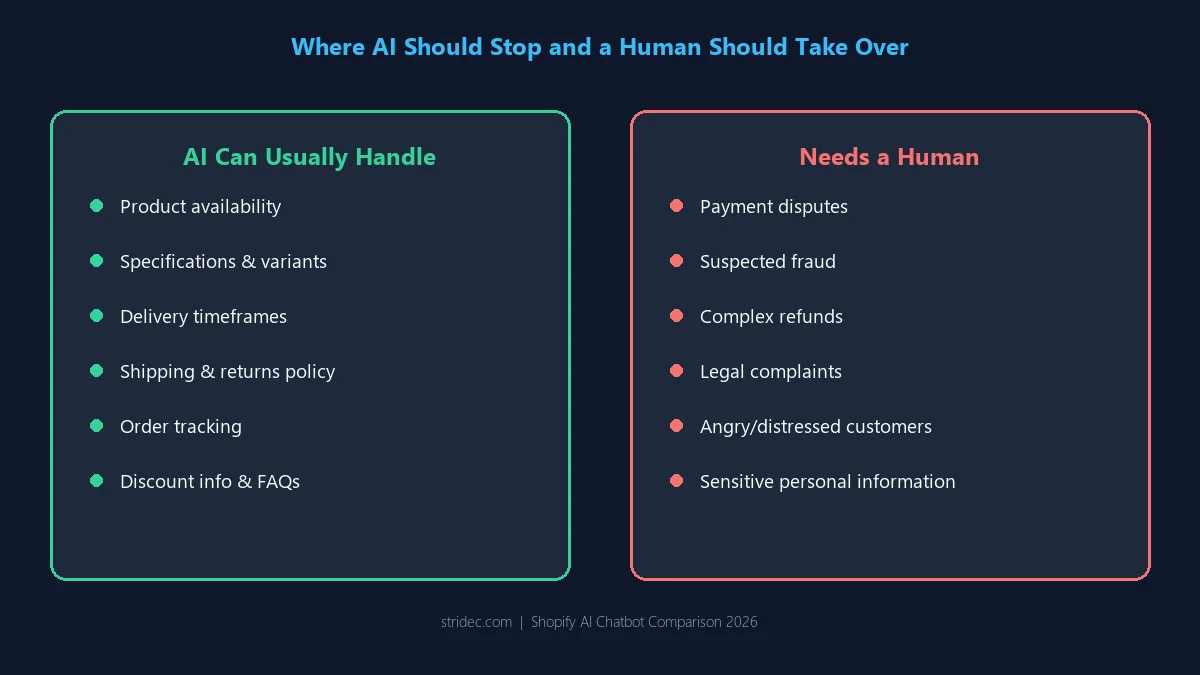
Conversations AI can usually handle
AI can generally assist with:
- Product availability
- Product specifications
- Size and variant questions
- Product comparisons
- Basic recommendations
- Delivery timeframes
- Shipping policies
- Returns-policy explanations
- Order tracking
- Store opening hours
- Discount information
- Frequently asked questions
Conversations that usually need a person
Human support is more appropriate for:
- Payment disputes
- Chargeback concerns
- Suspected fraud
- Damaged high-value products
- Complex refunds
- Policy exceptions
- Legal complaints
- Angry or distressed customers
- Sensitive personal information
- Situations where the available data conflicts
The handover should happen before the AI makes a promise the company cannot keep.
The hidden cost of disconnected customer channels
Merchants often compare Shopify chatbots according to their subscription prices. They may overlook the internal cost of operating several disconnected tools.
Suppose a store manages:
- Website chat through one app
- Instagram messages through Meta
- WhatsApp through a business phone
- Customer emails through Gmail
- Orders through Shopify
- Internal notes through Slack
Even when the individual tools are inexpensive, the business still pays through:
- Missed messages
- Duplicate responses
- Longer handling times
- Constant account switching
- Lost conversation history
- Inconsistent information
- Poor team visibility
- Incomplete reporting
- Slower customer service
This is one reason omnichannel platforms become more valuable as a Shopify store grows. The benefit is not only AI automation. It is reducing the operational friction created by separate customer-service systems.
What the first 30 days should look like
Installing a chatbot is only the beginning. The first month should be used to identify gaps, improve information and define the correct relationship between AI and human agents.
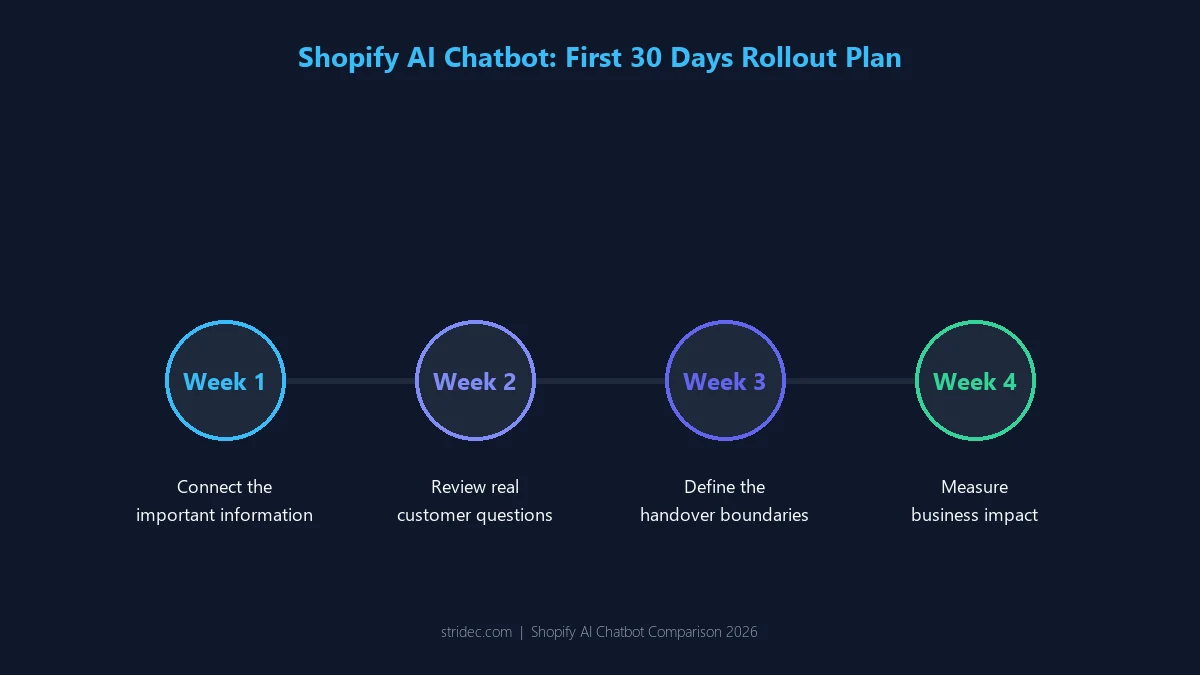
Week 1: Connect the important information
Begin by connecting or reviewing:
- Product catalogue
- Collections
- Variants
- Inventory
- Shipping policies
- Returns and exchange policies
- Frequently asked questions
- Order information
- Communication channels
- Human-agent accounts
Do not activate complex automation before checking whether the source information is accurate.
A chatbot cannot give reliable answers when product descriptions, policies and frequently asked questions contradict one another.
Week 2: Review real customer questions
Examine the conversations customers are having.
Look for:
- Questions the chatbot answered correctly
- Questions it misunderstood
- Missing policy information
- Products it recommended incorrectly
- Unanswered questions
- Unnecessary agent handovers
- Situations where handover happened too late
These conversations reveal what customers actually need, which may differ from what the business expected before installation.
Week 3: Define the handover boundaries
Establish clear rules for transferring conversations.
For example, transfer when:
- The customer asks for a human.
- The chatbot lacks verified information.
- The enquiry involves a payment dispute.
- A refund requires approval.
- The customer repeats the question.
- Negative sentiment increases.
- Sensitive information is involved.
- The conversation exceeds a defined length.
The agent should receive the conversation and relevant Shopify context.
Week 4: Measure business impact
Review more than the number of chatbot messages.
Useful measures include:
- Questions resolved without an agent
- Agent handover rate
- Average first-response time
- Average handling time
- Unanswered-question rate
- Customer satisfaction
- Product recommendation clicks
- Sales influenced by chat
- Orders recovered
- Support cost per conversation
These measures show whether the chatbot is improving customer service or merely producing more conversations.
Can a Shopify chatbot also help with AI search visibility?
A customer-service chatbot and AI search optimisation are separate functions, but the information required by both systems overlaps.
A reliable chatbot needs clear:
- Product information
- Collection relationships
- Product attributes
- Policies
- Frequently asked questions
- Brand descriptions
- Structured store data
Search engines and AI assistants also rely on clear product, entity and policy information when deciding whether to surface or cite a Shopify store.
Merchants improving these foundations may therefore support both chatbot accuracy and broader AEO for Shopify stores.
For ecommerce businesses competing for visibility in Google AI Overviews, ChatGPT and other AI discovery platforms, Stridec’s guide to AI SEO for ecommerce brands explains how product information, content structure and entity clarity influence AI recommendations.
Which Shopify chatbot should you use?
The most appropriate choice depends on the stage and structure of the business.
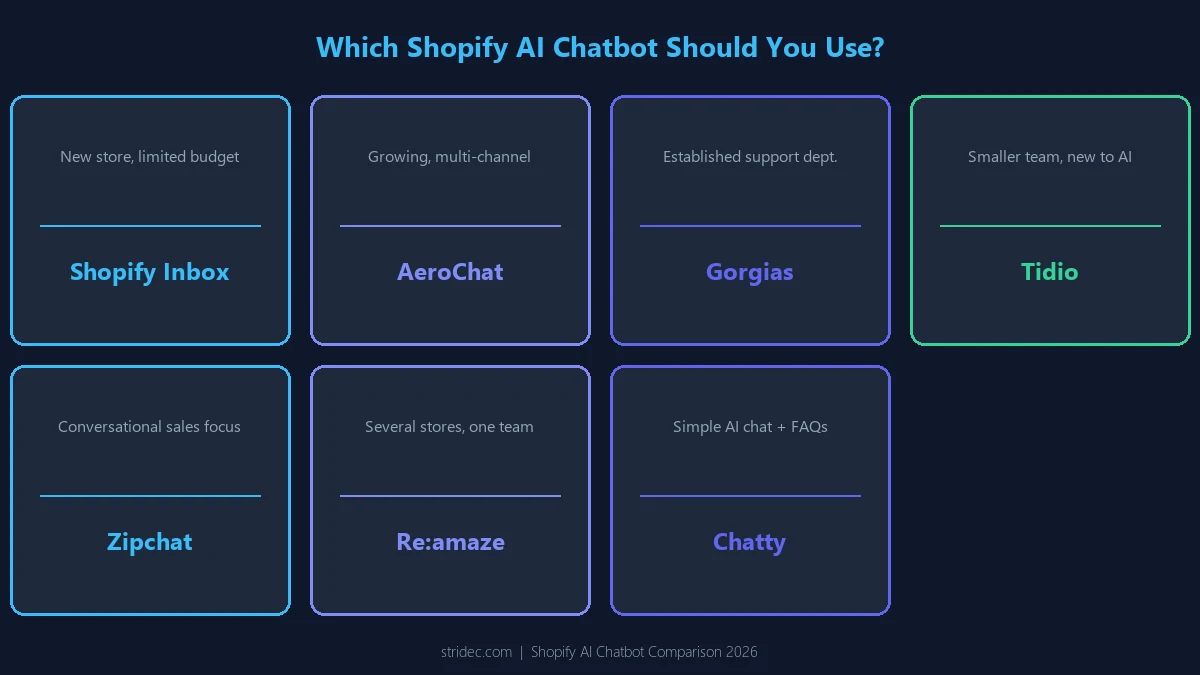
For a new Shopify store
Start with Shopify Inbox when the budget is limited and most customer conversations take place through the storefront.
It provides a free Shopify-native starting point without requiring a separate customer-service platform.
For a growing store using several channels
Choose AeroChat when customers communicate through website chat, WhatsApp, Instagram, Facebook Messenger and email.
It is the strongest overall option in this comparison for combining Shopify AI automation, product support, order enquiries and human conversations across several channels.
For an established customer service department
Choose Gorgias when the business requires formal helpdesk operations, larger support teams, detailed ticket workflows and a broad ecommerce integration ecosystem.
For a smaller team introducing AI and live chat
Choose Tidio when the business wants an accessible combination of live chat, chatbot flows, AI responses and helpdesk functionality.
For a store focused on conversational sales
Choose Zipchat when product recommendations, upselling, cart recovery and chat-attributed revenue are major objectives.
For several stores managed by one team
Choose Re:amaze when the company operates multiple Shopify stores, brands or regional storefronts and needs to centralise conversations and orders.
For straightforward AI chat and FAQs
Choose Chatty when the store wants an established Shopify application combining AI sales assistance, live chat, proactive messages, FAQs and a team inbox.
Final verdict
For growing Shopify stores managing conversations across several channels, AeroChat offers the most balanced combination of automation, product assistance, order support and channel coverage.
Shopify Inbox remains the sensible starting point for merchants that need a free, native solution. Gorgias is better suited to established support teams with more complex workflows, while Tidio and Zipchat may appeal to stores prioritising live chat or conversational selling.
The best choice ultimately depends on where customers contact the store, how much Shopify data the platform can use, how smoothly difficult conversations are escalated and whether the pricing remains practical as support volume grows.
Whichever platform is selected, it should reduce repetitive work without making the customer experience feel disconnected or overly automated.